10 Best Focus Tracking Apps in 2026
Photo by Pexels · Free to use
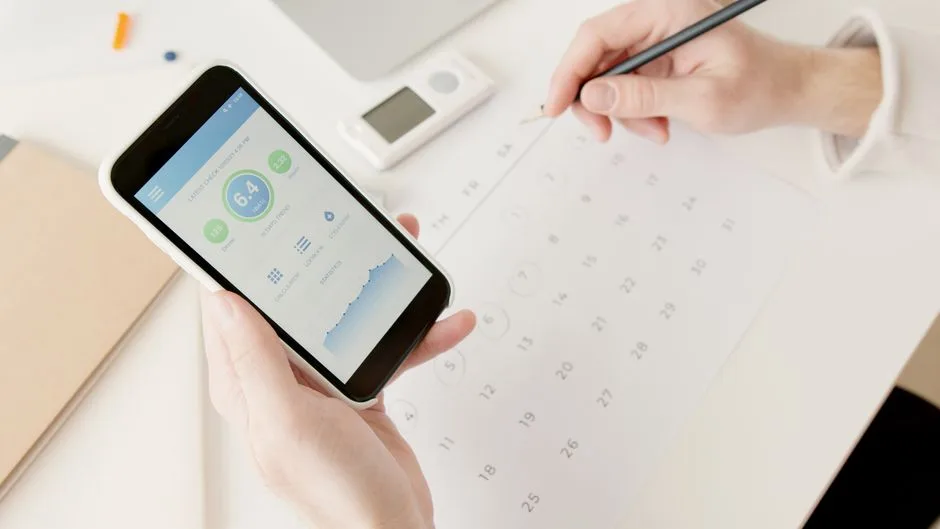
Staying focused in 2026 is harder than ever. Notifications, endless tabs, and the constant pressure to "keep up" make it easy to lose track of where your attention actually goes. That's where focus tracking apps come in — they help you measure your deep work, build consistency, and finally see your progress instead of just feeling busy.
We tested dozens of apps this year to find the ones that actually help you focus, not just log numbers. Here are the 10 best focus tracking apps in 2026, starting with a new favorite that takes a slightly different approach to focus.
Why focus tracking matters in 2026
AI tools, shorter attention spans, and remote work have changed how we work and learn. It's not just about blocking distractions anymore — it's about being intentional with where your attention goes next. A good focus tracking app doesn't just start a timer. It helps you notice patterns, build momentum, and actually finish the things you set out to do.
With that in mind, here's our list.
1. Unlearn Skill — Best for focus tracking with a purpose
Most focus timers just count minutes. Unlearn Skill goes one step further: it helps you decide what's actually worth focusing on before you start the clock.
The idea is simple. AI and automation are changing which skills matter, and a lot of us are still spending time and attention on things that no longer pay off. Unlearn Skill starts with a quick skills audit — sort what you do into Stop, Keep or Start — so your focus sessions go toward what's next, not what's already fading.
Once you know what to focus on, the app gets out of your way. Start a session with one tap, use a clean focus timer, and watch your progress add up over time. There's also a small twist that makes tracking oddly satisfying: every focused session helps you build something, from a woodland cabin to a satellite, so your focus time turns into visible progress instead of just a number on a screen.
Best for: anyone reskilling, career-switching, or trying to build a new focus habit around a new skill.
Key features:
- One-tap focus timer with session tracking
- A simple Stop / Keep / Start skills audit
- Over 20 things to build while you focus
- Free, private, no ads, no account required
- Calm, distraction-free design
2. Forest — Best for gamified focus sessions
Forest turned focus tracking into a small game years ago, and it's still a solid pick in 2026. You plant a virtual tree when you start focusing, and it grows as long as you stay off your phone. Leave the app, and the tree dies. It's simple, visual, and genuinely motivating for short bursts of focus.
Best for: people who want a light, game-like nudge to stay off their phone.
3. Toggl Track — Best for detailed time tracking
Toggl Track is built for people who want granular data on where their time actually goes. You can tag projects, break down focus sessions by client or task, and export detailed reports. It's less about "focus mode" and more about honest time tracking across your whole day.
Best for: freelancers and teams who need detailed reports on billable focus time.
4. Focus Keeper — Best for classic Pomodoro tracking
If you just want a no-frills Pomodoro timer, Focus Keeper still does the job well in 2026. Set your work and break intervals, track completed sessions, and build a simple streak. It doesn't try to do much else, and for a lot of people, that's exactly the point.
Best for: people who want a pure, distraction-free Pomodoro tracker.
5. RescueTime — Best for automatic focus tracking
RescueTime runs quietly in the background and tracks how you actually spend time on your devices, no manual timers required. It shows you a "focus score," flags distracting apps, and gives you weekly reports so you can see patterns you'd otherwise miss.
Best for: anyone who wants passive tracking without starting a timer every time.
6. Flow — Best for team focus tracking
Flow brings focus tracking into team settings. It lets you schedule shared focus blocks, mute notifications across connected apps, and see how much deep work your team logged over the week. It's built for companies trying to protect focus time at scale.
Best for: teams and managers trying to build a culture of deep work.
7. Session — Best for minimalist Mac and iOS focus tracking
Session is a clean, native-feeling focus timer for Apple devices. It blocks distracting apps and websites during sessions, tracks your streaks, and keeps a simple history of your focus time. No clutter, no unnecessary features.
Best for: Mac and iPhone users who want something that feels native and simple.
8. Freedom — Best for blocking distractions while tracking focus
Freedom is primarily a blocking app, but its tracking features have improved a lot. It logs how much time you spend blocked from distracting sites and apps, and shows you weekly trends so you can see if your focus habit is actually improving.
Best for: people whose biggest focus problem is social media and browser distractions.
9. Focusmate — Best for accountability-based focus tracking
Focusmate pairs you with another person for live virtual co-working sessions. You show up, say what you're working on, and focus together on video. It logs your sessions over time, so you build a visible record of accountability, not just solo effort.
Best for: people who focus better with a bit of social accountability.
10. Clockify — Best for free, unlimited focus tracking
Clockify offers unlimited time tracking for free, making it a favorite for solo users and small teams alike. You can track focus sessions by project, generate reports, and see exactly how your hours are distributed across the week.
Best for: anyone who wants a completely free tracker with no session limits.
How to choose the right focus tracking app for you
With this many options, the right choice comes down to what you actually need:
- Want passive, automatic tracking? Go with RescueTime or Freedom.
- Want a simple Pomodoro timer? Focus Keeper or Session are good fits.
- Need detailed reports for work or clients? Toggl Track or Clockify.
- Focus better with other people? Focusmate.
- Managing a team's focus time? Flow.
- Want your focus time to build toward something new, not just log a number? Unlearn Skill is built for exactly that.
Why Unlearn Skill stands out
Most apps on this list are great at tracking minutes. Unlearn Skill is built around a different question: minutes toward what?
Before you even open the timer, the app asks you to sort your current skills into Stop, Keep or Start. That one step changes everything. Instead of tracking focus time for its own sake, you're tracking focus time toward the skill you actually decided matters next; whether that's because AI changed your job, you lost a client, or you simply outgrew something you used to spend hours on.
The app is free, private, and doesn't require an account. There's no ads, no in-app purchases, and no tracking of you as a person, just your focus sessions. And because every session helps build something, from a suspension bridge to a vintage camera, checking your progress feels rewarding instead of like another chore.
FAQ
What is a focus tracking app?
A focus tracking app helps you log, measure, and improve how much uninterrupted attention you give to a task. Most combine a timer with reports or streaks so you can see your progress over time.
Are focus tracking apps actually effective?
Yes, for most people. Seeing your focus time tracked over days and weeks creates accountability and makes it easier to notice patterns, like which times of day you focus best.
What's the difference between a focus timer and a habit tracker?
A focus timer measures a single session, while a habit tracker shows your consistency over time. Unlearn Skill combines both: a simple timer for each session, plus a build that grows the more consistent you are.
Do I need to pay for a good focus tracking app?
No. Several apps on this list, including Unlearn Skill, Clockify, and Focus Keeper, are free to use without ads or hidden costs.
Which app is best if I'm learning a new skill because of AI or a job change?
Unlearn Skill is built specifically for this. It starts with a skills audit so you know what to let go of, then gives you a focus timer built around learning what's next.
Final thoughts
The best focus tracking app is the one you'll actually open every day. If you just need a timer, any of the classics on this list will do the job well. But if you're trying to figure out what deserves your focus in the first place, especially with so many jobs and skills shifting because of AI, Unlearn Skill is worth trying first.
Stop keeping every skill "just in case." Let go of what had a good run, pick what's next, and build it, one focused session at a time.
Download Unlearn Skill on Google Play or the Chrome Web Store and start your first build today.
Unlearn Skill is free and calm. Available now for Chrome and Android.
Related Reading
- Tired of Forgetting To Start Your Focus Timer? Here's What You Can Do
- How To Track Your Focus Time Without Sacrificing Privacy
- The Stop / Keep / Start audit: a 30-minute unlearn exercise
This article was written by the Unlearn Skill team. Images sourced from Pexels under the Pexels Free License.
← Back to notes