Top 4 Focus Apps for Freelancers in 2026

Photo by Pexels · Free to use
Freelancing in 2026 doesn't look like freelancing in 2020. You're not just managing clients and deadlines anymore, you're competing with AI tools that can do parts of your job faster than you can invoice for them. No boss is checking if you're focused. No manager is sitting next to you. It's just you, your laptop, and a browser tab that's always one click away from a distraction.
That's exactly why focus apps have become essential tools for freelancers, not just nice-to-haves. The right app doesn't just block distractions, it helps you protect the hours where real, billable work actually happens, and gives you a way to keep learning the skills that'll keep you relevant.
We looked at what freelancers are actually using this year to stay focused, get client work done, and keep up with a fast-changing market. Here are the top 4 focus apps for freelancers in 2026.

Why freelancers need focus apps more than ever
Freelancers juggle more context-switching than almost anyone else in the workforce. One hour you're writing client copy, the next you're chasing an invoice, then you're trying to learn a new tool because a client just asked if you "do AI stuff now."
On top of that, AI is changing which skills get paid. Maybe a client replaced part of your service with a tool. Maybe the skill you built your business on for years doesn't bring in the same work it used to. Staying employable as a freelancer in 2026 means two things at once: protecting focus time for the work that pays the bills today, and making space to learn what will pay the bills tomorrow.
That's a lot to hold in your head. A good focus app takes some of that weight off.
1. Unlearn Skill — best for freelancers reskilling while they work
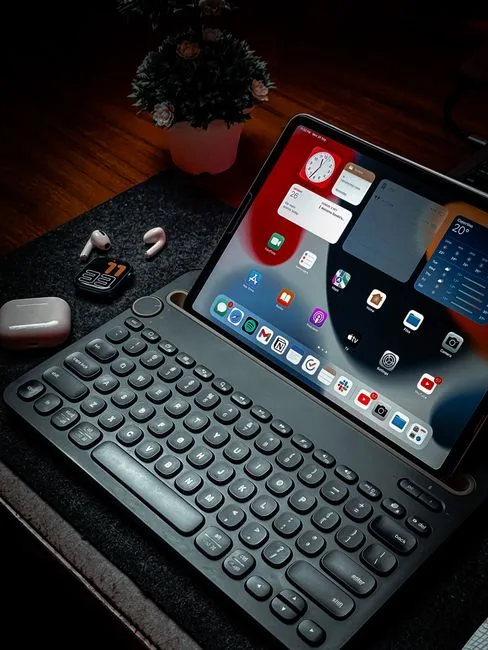
If you're a freelancer who's noticed AI chipping away at your client work, Unlearn Skill is built for exactly this moment. Maybe you're losing clients, maybe a service you used to sell doesn't land anymore, or maybe you have a skill you spent years on that just doesn't matter the way it used to. Unlearn Skill is a calm focus app that helps you put the old thing down on purpose, without guilt, and give your full attention to learning what's next.
Most focus apps assume the hard part is sitting still. For freelancers reskilling mid-career, the hard part is actually letting go. It's difficult to focus on a new skill while your head is still busy defending the old one. Unlearn Skill starts there.
How it works:
◼ Sort it out Take a slow, 30-minute check-in. List what you do as a freelancer and put each skill in Stop, Keep or Start. No pressure, nothing is permanent.
◼ Let it go Retire the skills you picked. Write down what they gave you, say thanks, and stop scheduling time for them.
◼ Focus on what's next Add as many learning goals as you want and start a focus session for any of them. Showing up counts more than cramming.
◼ Build while you focus Choose what you want to build for the session. Every minute of focus brings it closer to done, so staying focused feels rewarding instead of heavy. There are more than 20 things to build while you focus, from a seaside lighthouse to a vintage camera, so progress actually feels like progress.
◼ Review Check in regularly on what you dropped, what you're building, and whether it's still the right direction for your freelance business.
Why freelancers like it:
- Simple, calm, minimalistic interface, no clutter competing for your attention
- A built-in focus timer for short daily reskilling sessions between client work
- Works without an account, your data stays on your device, no tracking
- Free, with no ads and no in-app purchases
- A skills audit that helps you see your freelance work clearly, not just your to-do list
Unlearn Skill isn't trying to block every notification on your phone. It's trying to solve a freelancer-specific problem: how do you keep billing clients with your current skills while still making room to learn the next ones? Sort, let go, focus, build. That's the whole app.
2. Forest — best for freelancers who get distracted by their phone

Forest is one of the most well-known focus apps out there, and for good reason. You plant a virtual tree, and if you leave the app to check your phone, the tree dies. It's simple, visual, and surprisingly effective for freelancers who do most of their distracting on mobile rather than desktop.
For freelancers who answer client messages from their phone all day, Forest adds a bit of friction before you open an unrelated app. Over time, that friction builds a habit. The downside is that it only manages phone distractions, so if your biggest time-waster is open browser tabs on your laptop, Forest won't help much there.
3. Focus To-Do — best for freelancers juggling multiple clients
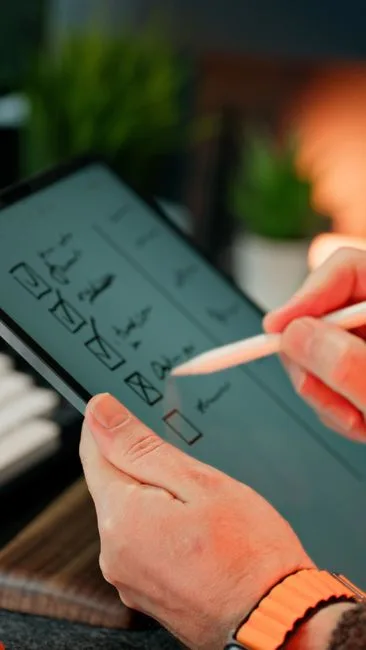
Focus To-Do combines a Pomodoro timer with a task list, which makes it a solid pick for freelancers managing several clients at once. You can assign a task to each focus block, track how many sessions a project actually takes, and get a clearer picture of where your billable hours go.
It's a more traditional productivity tool than the others on this list, closer to a task manager with a timer attached than a dedicated focus app. That makes it useful for organizing client work, but it won't help much with the mental side of staying focused when your motivation dips or when you're trying to learn something completely new.
4. Freedom — best for freelancers who need hard blocks

Freedom takes the opposite approach: instead of gentle nudges, it blocks distracting sites and apps across all your devices during scheduled sessions. For freelancers who know exactly what their time-wasters are, whether it's social media, news sites or a specific app, Freedom removes the option entirely.
It's one of the stricter tools on this list, which some freelancers love and others find too rigid for creative work. It's also a paid subscription, which is worth factoring in if you're already juggling client software costs.
Quick comparison
| App | Best for | Price |
|---|---|---|
| Unlearn Skill | Reskilling while protecting focus time | Free, no ads |
| Forest | Phone distraction habits | Free with in-app purchases |
| Focus To-Do | Managing multiple client tasks | Free with premium tier |
| Freedom | Hard blocking distracting sites | Paid subscription |
Who should use Unlearn Skill specifically
- Freelancers whose services are being replaced or reshaped by AI
- Developers, designers, writers and creatives adjusting their offer
- Anyone who recently lost a steady client and is figuring out what to learn next
- Anyone who feels stuck reskilling again and again without progress
- Anyone who wants a simple focus timer that makes practice feel rewarding instead of heavy
Frequently asked questions
Do freelancers really need a dedicated focus app, or does a regular timer work?
A regular timer can work for simple time-blocking, but it doesn't solve the bigger issue freelancers face in 2026: deciding what to focus on in the first place. Apps like Unlearn Skill help you sort out what's worth your time before the timer even starts.
◽ I don't have time to learn new skills between client work. How does this fit in? That's exactly why Unlearn Skill is built around short daily sessions rather than long study blocks. Showing up for ten focused minutes a day adds up faster than waiting for a free afternoon that never comes.
◽ Can I use Unlearn Skill alongside the other apps on this list? Yes. Many freelancers use Forest or Freedom to manage phone and website distractions, and Unlearn Skill specifically for the reskilling and focus-session side of things. They solve different problems.
◽ Is Unlearn Skill free? Yes, Unlearn Skill is completely free to use. There are no ads, no in-app purchases and no account required, ever.
◽ What if I'm not sure which skill to let go of? That's what the Sort it out step is for. Take 30 minutes, list what you do, and put each skill in Stop, Keep or Start. Nothing is permanent, and you can revisit it anytime.
The bottom line
Freelancing in 2026 asks for two things at once: deep focus on the client work that pays you today, and honest reskilling for the work that will pay you tomorrow. Most focus apps only help with the first half.
Unlearn Skill handles both. Stop keeping every skill "just in case." Let go of what had a good run, pick what's next, and build it, one focused session at a time.
Download Unlearn Skill and start your first build today.
Made by NIAT App Studio.
Unlearn Skill is free and calm. Available now for Chrome and Android.
Related Reading
- Tired of Forgetting To Start Your Focus Timer? Here's What You Can Do
- How To Track Your Focus Time Without Sacrificing Privacy
- The Stop / Keep / Start audit: a 30-minute unlearn exercise
This article was written by the Unlearn Skill team. Images sourced from Pexels under the Pexels Free License.
← Back to notes